
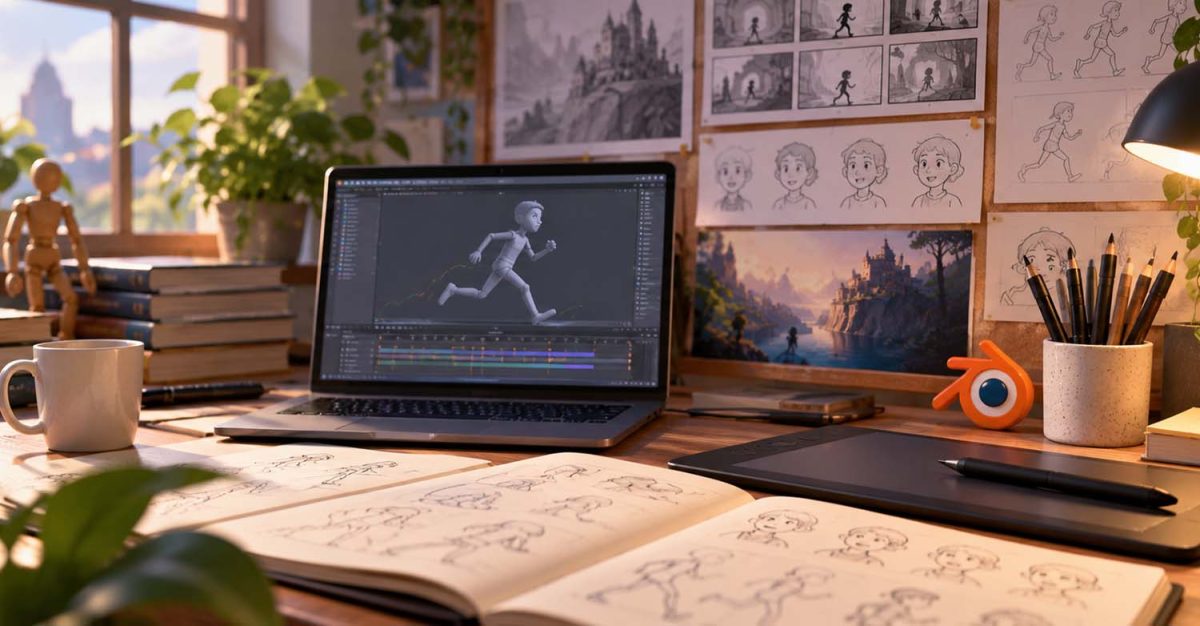
If you want to learn animation in 2026, you have more options than ever before.
You can learn 2D animation, 3D animation, stop motion, motion graphics, storyboarding, character animation, or even make your own animated short film from home. You can use free software like Blender, paid tools like Maya, Toon Boom Harmony, or Clip Studio Paint, or start with simple planning and drawing tools before moving into full animation production.
That is exciting, but it can also feel overwhelming.
A lot of beginners get stuck before they even start because they think they need the perfect software, the perfect drawing skills, the perfect computer, or the perfect course. They spend weeks comparing programs, watching videos, and reading advice, but never actually make anything.
The truth is that learning animation does not start with knowing everything. It starts with learning the basics, choosing one direction, practicing small exercises, and slowly building confidence through finished work.
In this guide, we’ll go through a complete beginner’s roadmap for learning animation in 2026. We’ll cover what to learn first, which type of animation to choose, what software makes sense, how to practice, and how to begin creating work you can actually show.
How Do You Start Learning Animation?
The best way to start learning animation is to begin with the fundamentals, choose either 2D or 3D animation as your first path, pick one beginner-friendly software, and practice with small exercises before attempting a bigger project.
You do not need to master every type of animation. You do not need to learn every software program. You do not need to make a short film in your first month.
A good beginner roadmap looks like this:
- Learn the basic principles of animation.
- Choose one animation path to focus on first.
- Pick one software and stick with it long enough to make progress.
- Practice small movement exercises.
- Study real reference.
- Make one tiny finished project.
- Get feedback and improve.
- Start collecting your best work for a future portfolio.
That is enough to begin. The goal is not to become a professional animator overnight. The goal is to start making animation and keep improving.
What Is Animation?
Animation is the art of creating the illusion of movement.
That movement can be drawn by hand, created with digital 2D tools, built with 3D characters, photographed frame by frame in stop motion, or designed through motion graphics. The method can change, but the core idea stays the same: you are creating movement over time.
This is why animation is not only about software. Software helps you make the work, but animation itself is about understanding how things move, how characters think, how actions read clearly, and how an audience follows what is happening on screen.
A bouncing ball, a walk cycle, a character reaction, a storyboard sequence, and a finished animated short all depend on the same foundation. They need clear timing, strong poses, readable movement, and a sense of purpose.
That is what beginners should focus on first.
Why Learning Animation Feels Overwhelming at First
Animation can feel intimidating because it combines many different skills. Depending on the type of animation you want to make, you might need to learn drawing, acting, timing, editing, design, posing, software, storytelling, cameras, sound, and production workflow.
That does not mean you need to learn all of those things at the same time.
Most beginners get overwhelmed because they look at the entire animation industry at once. They see professional films, polished student shorts, complex 3D rigs, beautiful 2D animation, advanced storyboards, and finished studio reels. Then they compare that to their first attempt and feel behind.
But that is the wrong comparison.
Your first animation is not supposed to look like a studio project. Your first animation is supposed to teach you something. A bouncing ball teaches timing and spacing. A flour sack teaches weight and personality. A walk cycle teaches rhythm and body mechanics. A simple character reaction teaches acting and clarity.
Every small exercise builds toward something bigger. That is how animation is learned.
Step 1: Learn the Animation Fundamentals First
Before choosing expensive software or planning a huge project, start with the fundamentals.
Animation fundamentals are the basic principles that make movement feel believable, readable, and appealing. These include timing, spacing, squash and stretch, anticipation, follow-through, overlapping action, arcs, staging, exaggeration, appeal, and strong posing.
You do not need to memorize all of these perfectly on day one. You just need to start noticing them.
Timing is how long an action takes. Spacing is how far something moves between frames. Anticipation prepares the audience for an action before it happens. Follow-through keeps movement from feeling stiff. Arcs help motion feel natural. Staging makes sure the viewer understands what matters in the shot.
These ideas apply to almost every type of animation. A 2D animator needs them. A 3D animator needs them. A stop motion animator needs them. A motion designer uses them too.
That is why fundamentals matter more than software at the beginning. If the movement does not work, better software will not fix it.
If you want a structured place to begin, Bloop’s Animation Foundations course is designed around the core skills that support almost every animation path.
Step 2: Choose One Animation Path to Start With
Animation has many different paths. You can always explore more later, but beginners usually make better progress when they start with one main direction.
The most common starting points are 2D animation, 3D animation, stop motion, motion graphics, and storyboarding. Each path uses different tools and workflows, but they all depend on the same foundation: clear movement, strong storytelling, and good visual decisions.
2D animation is a good fit if you enjoy drawing, frame-by-frame movement, expressive characters, and hand-crafted visuals. This could include traditional animation, digital 2D animation, anime-style animation, or simple character scenes.
3D animation is a good fit if you are interested in digital characters, games, films, camera movement, and working with rigs. You do not need to model everything yourself at the beginning. Many 3D animators start by using existing rigs so they can focus on movement and performance.
Stop motion is a good fit if you like physical objects, sets, puppets, handmade materials, and frame-by-frame photography. It is practical, tactile, and very different from working entirely on a computer.
Motion graphics is a good fit if you enjoy design, text, shapes, logos, transitions, explainer videos, and visual communication. It is often used in advertising, online content, title sequences, and branded video.
Storyboarding is a good fit if you enjoy visual storytelling, film language, staging, composition, and planning scenes before they are animated.
There is no single correct path. The right starting point is the one that makes you want to keep creating. If you are not sure yet, look through Bloop’s course catalog and compare the different animation disciplines, software, and workflows.
Step 3: Pick One Animation Software
This is where many beginners get stuck. They spend weeks comparing software instead of animating.
Software matters, but it should not stop you from starting. The best software for beginners is usually the one that fits your goal, your budget, and your current skill level.
If you want to learn 3D animation, Blender is one of the best places to begin because it is free and powerful. It gives beginners access to modeling, rigging, animation, lighting, rendering, and even 2D-style tools through Grease Pencil.
If you want to learn professional 3D character animation, Maya is also important, especially for people interested in studio pipelines. It is widely used in film, games, and high-end 3D production.
If you want to learn hand-drawn 2D animation, Clip Studio Paint can be a strong choice, especially if you already enjoy drawing and illustration. If you want to learn professional 2D character animation, Toon Boom Harmony is a major tool for studio-style production.
If you want to work in motion graphics or compositing, After Effects may be useful.
The important thing is not to learn all of them at once. Pick one tool, use it long enough to understand the workflow, make a few finished exercises, and then decide whether you need another tool.
A beginner who wants to learn 3D animation can start with Bloop’s Blender Animation course. Someone who wants to focus on professional 3D character animation can explore Maya Animation. For 2D artists, the Clip Studio Paint Animation course is a practical route into hand-drawn digital animation.
Step 4: Start With Small Exercises
Your first animation project should not be a five-minute short film. It should be something small enough to finish.
This is important because beginners often start with ideas that are far too big for their current level. They want to make a short film, a full scene, a trailer, or a complex character performance. That ambition is great, but it can become frustrating if the project is too large before the basic skills are in place.
Start with exercises instead.
A bouncing ball teaches timing, spacing, weight, and energy. A pendulum teaches arcs and drag. A flour sack teaches posing and personality. A walk cycle teaches rhythm, balance, contact, passing positions, and weight shift. A simple jump teaches anticipation, force, hang time, landing, and recovery.
These exercises may seem basic, but they are not just beginner tasks. They are training tools. Every animator returns to the basics again and again because the basics are what make bigger shots work.
The goal is to build control. Once you can control simple movement, you can start building more complex shots.
Bloop’s animation tutorials are a useful place to practice smaller skills before moving into larger course projects.
Step 5: Study Real Movement
Animation is not only about imagination. It is also about observation.
If you want to animate better movement, study how things actually move. Watch people walk, run, sit, lift objects, turn around, react, hesitate, or laugh. Look at how their weight shifts. Notice what moves first and what follows. Pay attention to balance, rhythm, posture, and small gestures.
Reference is not cheating. Reference is how animators understand motion.
If you are animating a character picking up a heavy box, record yourself doing it. If you are animating a walk cycle, watch real walks. If you are animating a surprised reaction, study how people actually react before exaggerating it.
The point is not to copy reference blindly. The point is to understand the movement so you can design it better.
Good animation is often a mix of observation and exaggeration. You study real life, then shape it into something clear, appealing, and entertaining.
Step 6: Learn Posing and Clarity
Strong animation usually starts with strong poses.
Before thinking about every tiny movement, ask whether the main poses are clear. Can the audience understand what the character is doing? Can they read the emotion? Does the body language match the action? Is the silhouette clear?
If the main poses are weak, the animation will usually feel weak too.
This applies to 2D and 3D animation. In 2D, you draw poses. In 3D, you pose a rig. In storyboarding, you stage characters through drawings. Different tools, same idea.
A clear pose communicates quickly. A confused pose makes the audience work too hard.
For beginners, one of the best habits is to pause your animation on key moments and ask whether the shot still makes sense as a still image. If the answer is yes, you are probably on the right track.
Step 7: Make One Tiny Finished Project
At some point, you need to move beyond exercises. Not into a huge film, but into something finished.
A tiny finished project could be a 10-second character moment, a simple animated loop, a short gag, a small dialogue shot, a mini story, or a storyboard sequence turned into an animatic. The project should be small enough that you can finish it, but complete enough that it feels like a real piece of work.
This teaches something very important: finishing.
Finishing is a skill. A finished 10-second animation teaches planning, editing, timing, cleanup, sound, export settings, and presentation. An unfinished three-minute film usually teaches frustration.
Keep the scope small. Choose one character, one action, one location, and one clear idea. For example, a character tries to press a button but keeps missing it. A sleepy character tries to stay awake. A nervous character opens a door. A magician performs a trick that goes slightly wrong.
These simple ideas are enough. They give you acting, movement, timing, and a beginning, middle, and end.
If your long-term goal is to make your own animated film, Bloop’s Making an Animated Movie course is built around the process of creating animated shorts from start to finish.
Step 8: Get Feedback Early
Animation is hard to judge alone. When you stare at the same shot for hours, it becomes difficult to see what is working and what is not.
That is why feedback matters.
You do not need to wait until a project is perfect before showing it to someone. In fact, feedback is often most useful before the shot is finished. Show the blocking. Show the rough pass. Show the animatic.
When asking for feedback, try to ask specific questions rather than general ones. Instead of asking “Is this good?”, ask whether the action reads clearly, whether the timing feels too fast or too slow, whether the character feels heavy enough, or whether anything is confusing.
Specific questions lead to better feedback. They also make it easier to apply the notes.
Try not to treat feedback as a personal judgment. Feedback is part of the animation process. Every animator receives notes. Every professional shot goes through revisions. Learning how to accept notes, apply them, and improve the work is one of the most useful skills you can build.
Step 9: Build a Simple Practice Routine
You do not need to animate all day to improve. You need consistency.
A beginner can make real progress with a simple routine. For example, you might spend one session watching a lesson, one session practicing a small exercise, one session studying reference, and one session improving an older shot.
The exact schedule matters less than the habit. Animation is a skill that improves through repetition. The more you practice timing, spacing, posing, and movement, the more natural those decisions become.
Try to avoid jumping to a new tool or tutorial every day. That can feel productive, but it often leads to shallow learning. It is better to finish one simple exercise than to watch ten lessons without applying them.
Learning animation is active. You need to make things.
A simple weekly routine could look like this:
- One day for watching or reviewing a lesson.
- One day for practicing a small exercise.
- One day for studying reference.
- One day for improving an old shot.
- One day for starting or finishing a tiny project.
You can adjust the schedule around your own time, but the idea is the same: keep learning, keep practicing, and keep finishing small pieces.
Step 10: Start Building a Portfolio as You Learn
You do not need a professional portfolio when you are just starting. But you should start thinking about your work as something you can collect, improve, and eventually show.
Save your exercises. Export your best versions. Keep notes on what you learned. When a piece no longer represents your level, replace it with something better.
Over time, your practice work becomes the beginning of your portfolio.
A beginner portfolio might start with a few strong exercises, a short character shot, a simple personal project, and a short demo reel. That is enough to begin sharing your progress.
The key is to show your best work, not all your work.
If you are ready to take that step, read Bloop’s guide on How to Build an Animation Portfolio from Scratch.
What Should You Learn First: 2D or 3D Animation?
This is one of the biggest beginner questions.
Should you learn 2D animation first or 3D animation first?
The answer depends on what you want to make. If you love drawing, visual style, frame-by-frame movement, and hand-crafted character animation, 2D may be the better starting point. If you love digital characters, acting, games, cinematic shots, and working in 3D space, 3D may be the better starting point.
You do not have to learn 2D before learning 3D. You also do not have to learn 3D before learning 2D.
Both paths teach animation, but the workflow is different. In 2D, you usually create the drawing itself. In 3D, you pose and animate a digital rig. The fundamentals overlap, but the tools and process feel different.
Choose the path that makes you excited to practice. That matters more than choosing what looks more “serious.”
Do You Need to Be Good at Drawing to Learn Animation?
No, you do not need to be great at drawing to start learning animation.
Drawing helps, especially for 2D animation, storyboarding, character design, and visual development. But animation is not only drawing. 3D animation, stop motion, motion graphics, editing, layout, rigging, and many other animation-related paths do not require advanced drawing skills in the same way.
What you do need is visual thinking. You need to understand movement, timing, shape, staging, and clarity.
Even if you are learning 3D animation, basic sketching can still help you plan poses and ideas. But you do not need to be a polished illustrator before you begin.
Do not let drawing fear stop you from learning animation. Start with the path that suits your strengths, then build supporting skills over time.
How Long Does It Take to Learn Animation?
Learning animation takes time, and there is no exact timeline because everyone starts from a different place.
You can understand the basic ideas in a few weeks. You can create simple exercises within your first month. You can build a small body of beginner work over several months. Becoming confident takes longer, and becoming professional takes consistent practice over time.
That is normal.
Animation combines technical skill, artistic judgment, observation, performance, and patience. It is not something most people master quickly, but you do not need to master animation before making something.
You learn by making things.
Every exercise, every rough shot, every bad walk cycle, and every improved version helps you move forward. Progress in animation is often built one small shot at a time.
Common Beginner Animation Mistakes
Most beginner mistakes are normal. They are part of learning.
One common mistake is starting too big. A huge project can quickly become overwhelming, especially if you are still learning the basics. Another mistake is focusing too much on software and not enough on movement. Knowing every tool in Blender, Maya, or Toon Boom does not automatically make a shot feel alive.
Beginners also tend to polish too early. They clean up details before the main timing, poses, and action are working. It is usually better to solve the big movement first, then refine.
Another common issue is avoiding feedback. It can be uncomfortable to show unfinished work, but feedback helps you improve faster.
The final mistake is giving up too quickly. Animation takes patience, and your early work may not look the way you imagined. That does not mean you are not suited for animation. It means you are learning.
A Simple 30-Day Beginner Animation Plan
If you want a practical starting plan, keep it simple. The first 30 days should not be about mastering animation. They should be about getting started, learning the basic process, and making a few small pieces of work.
In the first week, learn what animation is, study the basic principles, and get comfortable with your chosen software. Do not worry about making anything perfect. The goal is to understand the workspace and begin thinking about movement.
In the second week, practice simple movement. Animate a bouncing ball, a pendulum, or a basic object with weight. Focus on timing and spacing rather than detail.
In the third week, move into character movement. Try a simple pose change, walk cycle, or expressive reaction. Keep the action short and readable.
In the fourth week, make one tiny finished project. Keep it short, export it properly, and review what you learned.
At the end of 30 days, you will not be finished learning animation. But you will have started, and that is the point. A month of finished practice is much more valuable than a month of only researching which software to use.
Best Animation Courses for Beginners
The best animation course for beginners is one that gives you structure, clear instruction, practical exercises, and a path toward finished work.
Different beginners need different courses. If you are completely new to animation principles, start with Animation Foundations. If you want to learn 3D animation with free software, start with Blender Animation. If you want to learn professional 3D character animation, explore Maya Animation.
If you want to create hand-drawn digital 2D animation, look at Clip Studio Paint Animation. If you want to understand visual storytelling and shot planning, start with Storyboarding Foundations. If you want to make your own animated short, Making an Animated Movie can help you understand the full process from idea to final film.
You can also explore Bloop’s full animation course library to choose the path that fits your goals. If you are completely new to animation, you may also want to start with Bloop Animation’s Animation for Beginners guide before choosing your first course or software.
Your Beginner Animation Roadmap
The simplest way to start learning animation in 2026 is to keep the process focused. Start with the fundamentals, choose one animation path, pick one software, practice small exercises, study reference, make one tiny finished project, get feedback, build a routine, save your best work, and keep going.
That roadmap does not require perfect equipment, perfect drawing skills, or a full studio setup. It requires patience, practice, and the willingness to make imperfect work while you learn.
The main thing is to avoid waiting until everything feels ready. Animation only starts to make sense when you make animation.
Just Get Started!
Learning animation in 2026 can feel overwhelming at first. There are so many tools, courses, styles, and career paths that it is easy to spend too much time thinking about where to begin.
But the best starting point is simple.
Learn the fundamentals. Choose one path. Pick one tool. Make small exercises. Finish simple projects. Then keep improving.
You do not need to know everything before you start. You do not need perfect software, perfect drawing skills, or a perfect plan. You just need to begin with work that is small enough to finish and useful enough to teach you something.
That is how every animator starts.
One exercise. One shot. One project. One improvement at a time.
If you’re ready to start learning animation, explore the full Bloop Animation course library or get lifetime access to the complete library with the All-Access Pass.